
Ad scheduling is the practice of controlling the exact days and hours your ads appear to potential customers, giving you direct control over when your budget is spent and when your audience sees your message. Also called dayparting, it is a core tactic in paid search and PPC management that lets digital marketers concentrate spend on high-converting time slots and pull back during periods that drain budget without results. When applied correctly, ad scheduling reduces wasted spend, improves cost per acquisition (CPA), and aligns your campaigns with real customer behaviour. This guide covers how the mechanics work, how automation enhances the process, and where most marketers go wrong.
How ad scheduling works: the core mechanics
Ad scheduling operates through four distinct layers that work together to control when and how your ads run. A well-built scheduling framework includes eligibility windows, bid treatment, budget alignment, and a refresh cadence. Each layer serves a different function, and skipping any one of them creates gaps in your campaign’s performance.
The four layers break down like this:
- Eligibility windows define which days and hours your ads are allowed to run. You set these directly in your ad platform, and the system will not serve ads outside those windows.
- Bid treatment means applying bid adjustments to specific time slots. You can increase bids during high-conversion periods and decrease them during weaker ones, rather than simply switching ads on or off.
- Budget alignment prevents your daily budget from depleting too early in the day, which would leave you invisible during your best-performing hours.
- Refresh cadence is the ongoing review process. Schedules that worked in january may not work in september. Consumer behaviour shifts, and your schedule needs to shift with it.
Pro Tip: Before restricting any time slots, pull at least 30 days of hourly conversion data. Making scheduling decisions on click volume alone leads to cutting off hours that actually drive results.
The most common mistake marketers make is treating ad scheduling as a one-time setup. It is a living part of your campaign structure that requires regular attention to stay effective.

How do data and automation improve ad scheduling?
Data analysis and automation rules are what separate basic dayparting from a genuinely high-performing schedule. Conversion heat maps and hourly performance reports show you exactly which time blocks produce results and which ones consume budget without return. The rule is direct: an hour with 200 clicks and zero conversions is worthless, while 20 clicks and 3 conversions is valuable. Clicks and impressions do not tell you what you need to know. Conversions do.
Automation rules take this further by combining time conditions with performance thresholds. Rather than simply pausing ads at midnight, you can set a rule that pauses a campaign if CPA exceeds your target within a specific four-hour window. That means your ads keep running during off-peak hours when they are still converting profitably, and pause only when performance actually drops. This is far more precise than time-only rules.
Key automation approaches that work in practice:
- Conditional pausing: Set rules to pause delivery only when CPA rises above your target threshold during a defined time block, not simply because the hour is late.
- Bid adjustment scaling: Increase bids by up to +50% during high-conversion evening windows to capture more volume when intent is strongest.
- Hourly CPA monitoring: Use platform reporting to track cost per acquisition by hour, then feed those findings back into your bid adjustments on a weekly basis.
One critical constraint applies to new campaigns. Restricting delivery hours in the first 7–14 days delays the algorithm’s learning phase and hurts delivery momentum. Let new campaigns run without schedule restrictions until they exit the learning phase, then layer in your dayparting strategy. Tools like Valiz can help manage automation rules across campaigns without disrupting that early learning window.
Pro Tip: Balance manual bid adjustments with automated bidding strategies carefully. Automated bidding already accounts for time-of-day signals. Adding aggressive manual bid adjustments on top can cause the two systems to conflict and overspend.
What are the common pitfalls in ad scheduling?
Ad scheduling looks straightforward on the surface, but several nuances trip up even experienced marketers. The most damaging is ignoring conversion lag.
-
Conversion lag distorts hourly data. A click at 11:00 PM may not convert until 48 hours later. If you analyse your hourly report and see zero conversions for late-night hours, you may be looking at incomplete data rather than a genuinely poor time slot. Cutting off late-night hours based on this can eliminate valuable top-of-funnel activity that converts on a delay.
-
Click time and conversion time are not the same. Most ad platforms attribute conversions to the time of the click, not the time of the purchase. Always check your attribution window settings before drawing conclusions from hourly data.
-
Consumer behaviour shifts over time. A schedule built on data from march may perform poorly by october. Seasonal changes, economic shifts, and changes in your audience’s daily routines all affect when people search and buy. Your schedule must reflect current behaviour, not historical assumptions.
-
Skipping documentation creates blind spots. When you change a schedule and performance shifts, you need a record of what changed and when. Without documentation, you cannot isolate whether a performance change came from your scheduling adjustment or another campaign variable.
Monthly reviews work well for mature accounts with steady volume. High-volume accounts benefit from weekly reviews. Low-volume accounts may need longer windows to accumulate enough data before drawing conclusions. The review frequency should match your data volume, not your preference.
How to apply ad scheduling step by step
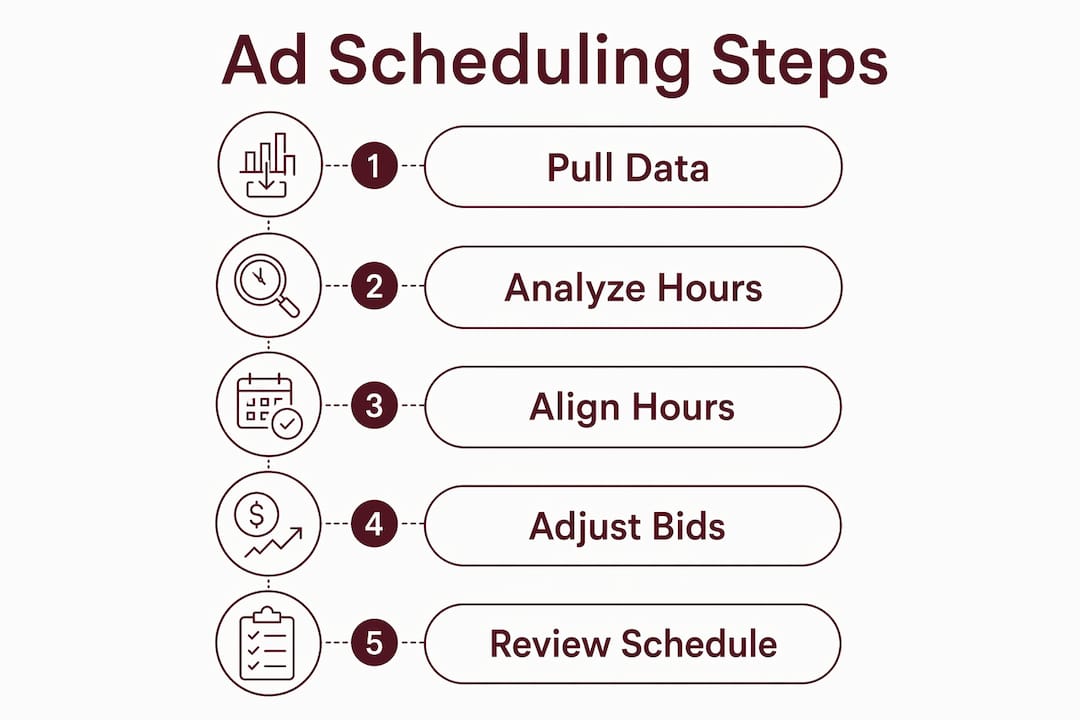
A practical scheduling plan follows a clear sequence. Skipping steps early in the process leads to decisions based on incomplete information.
| Step | Action | Key consideration |
|---|---|---|
| 1 | Pull 30+ days of hourly conversion data | Use conversion data, not clicks |
| 2 | Identify top and bottom performing time blocks | Look for consistent patterns across multiple weeks |
| 3 | Set conservative bid adjustments first | Start with ±20% before moving to larger changes |
| 4 | Align schedule with operational hours | Ads running when your team cannot respond waste spend |
| 5 | Set automation rules for conditional pausing | Combine time and CPA thresholds for precision |
| 6 | Establish a review cadence | Monthly for stable accounts, weekly for high volume |
Aligning your schedule with your business’s operational hours is often overlooked. If you run a service business and your team is unavailable on weekends, running ads on Saturday and Sunday generates leads that sit unanswered for two days. That gap hurts conversion rates and damages the customer experience. Your Google Ads campaign settings should reflect when your business can actually respond to enquiries.
Start bid adjustments conservatively. A ±20% adjustment gives you meaningful data without creating dramatic swings in spend. Once you have two to three weeks of data at that level, you can move toward larger adjustments with confidence. Understanding how bid-based ads work gives you the foundation to make those adjustments without guessing at the impact.
Review your schedule regularly and document every change. A simple spreadsheet noting the date, the change made, and the reason is enough. When performance shifts, that log tells you exactly where to look.
Ad scheduling support from Harvest Moon Marketing
Ad scheduling is one of the highest-leverage tactics in PPC, and it rewards marketers who treat it as an ongoing discipline rather than a one-time setup. Harvest Moon Marketing manages Google Ads campaigns with scheduling strategies built around your business hours, your audience’s behaviour, and your CPA targets. The team builds hourly performance reviews, automation rules, and bid adjustment frameworks into every campaign from the start. If your current campaigns are running around the clock without a clear schedule, there is almost certainly budget going to waste. Harvest Moon Marketing can identify where and fix it.
FAQ
What is ad scheduling in paid advertising?
Ad scheduling, also called dayparting, is the practice of setting specific days and hours when your ads are eligible to run. It lets you concentrate budget on time slots that produce conversions and reduce spend during low-performing periods.
How does conversion lag affect ad scheduling decisions?
Conversion lag means a click recorded at one hour may not convert until 48 hours later. Analysing hourly data without accounting for this delay can cause you to cut off time slots that are actually driving results.
When should I add a schedule to a new campaign?
Restricting delivery hours in the first 7–14 days of a new campaign delays the platform’s learning phase. Let new campaigns run without schedule restrictions until they exit learning, then apply dayparting based on accumulated performance data.
What is the difference between bid adjustments and simply turning ads off?
Turning ads off during certain hours is a blunt approach. Bid adjustments let you increase or decrease bids for specific time slots, so you can remain active during off-peak hours when performance is still profitable, rather than going dark entirely.
How often should I review my ad schedule?
Monthly reviews suit most mature accounts. High-volume accounts benefit from weekly reviews. The right cadence depends on how quickly your account accumulates enough conversion data to draw reliable conclusions.


