
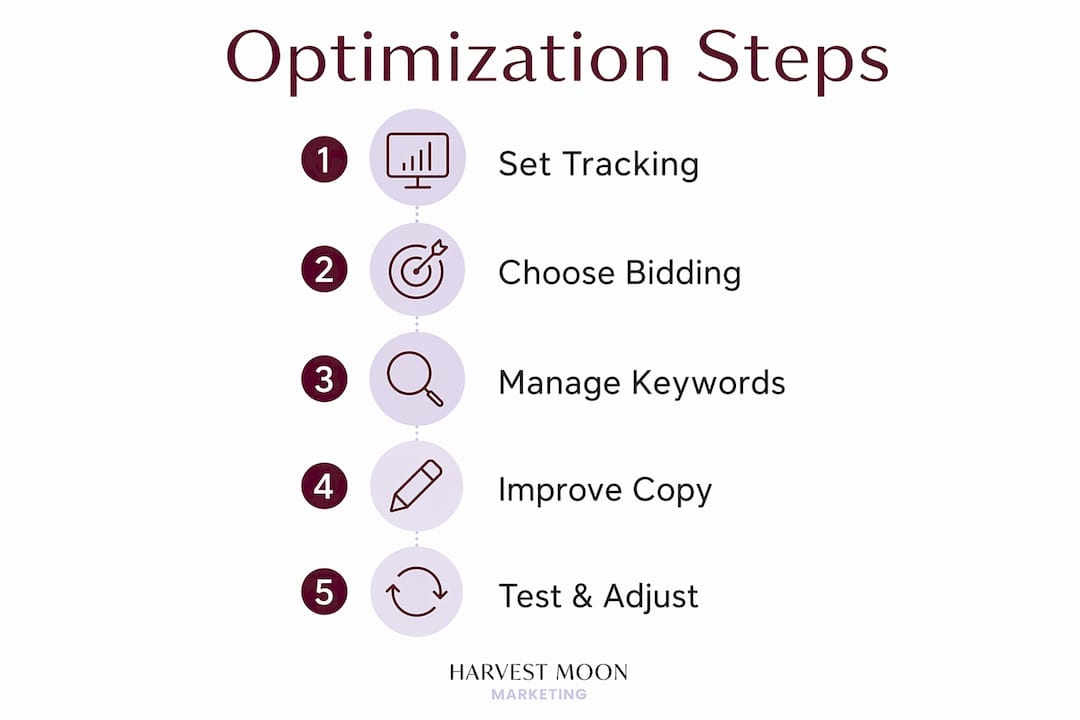
Optimizing Google Ads campaigns means making data-driven adjustments to conversion tracking, bidding strategies, keyword targeting, ad content, and landing pages to reduce costs and improve return on ad spend. For small to mid-sized businesses, this is the difference between a campaign that drains budget and one that consistently generates qualified leads. The core levers are not complicated, but they require discipline, the right tools, and a clear sequence. This guide walks you through each one.
What do you need to set up before optimizing Google Ads?
No optimization technique works without accurate data underneath it. Before you touch bids, keywords, or ad copy, your measurement foundation needs to be solid.
The most critical step is setting up conversion tracking that actually captures what matters to your business. For most service-based businesses, that means tracking form submissions, phone calls, and booking confirmations. Google Tag Manager makes this manageable without requiring a developer for every change. Google Analytics 4 connects campaign data to on-site behaviour, giving you a fuller picture of what happens after someone clicks your ad.

Standard client-side tracking is no longer sufficient on its own. Client-side pixels miss 20–40% of conversion data due to browser privacy restrictions and ad blockers. That gap directly corrupts the signals your bidding algorithms rely on. Server-side tracking, which sends conversion data directly from your server rather than the user’s browser, closes that gap significantly.
Enhanced Conversions take this further by using hashed first-party data such as email addresses to match conversions more accurately. Enhanced Conversions can lift measured conversion volume by 10 to 30 percent. That is not just a reporting improvement. It means your Smart Bidding algorithms have better data to work with, which directly affects performance.
- Connect Google Ads to Google Analytics 4 and import conversion goals
- Set up Enhanced Conversions using Google Tag Manager
- Implement server-side tracking for form and phone call conversions
- Define primary conversion actions (leads, calls) separately from secondary ones (page views)
- Confirm conversion data is flowing accurately before scaling any campaign
Pro Tip: Before launching any new campaign, run a two-week data collection period with conversion tracking live but bidding set to manual CPC. This gives your account clean baseline data before Smart Bidding takes over.
How do you choose the right bidding strategy for your campaigns?
Bidding strategy is where most small business Google Ads accounts either gain or lose efficiency. The right choice depends on how much conversion data your account has collected.
Start with Maximize Conversions when a campaign is new or has fewer than 30 conversions per month. This strategy tells Google to spend your budget in ways most likely to generate conversions, without a specific cost target. It builds the data history your account needs. Jumping straight to Target CPA or Target ROAS without that history is a common and costly mistake. Switching to Smart Bidding without accurate conversion data can actively worsen performance, because the algorithm learns from noise instead of signal.
Once a campaign reaches 30 to 50 conversions per month, you can transition to Target CPA. Set your initial target at or slightly above your current average CPA, not at your ideal target. Aggressive targets cause the algorithm to restrict impressions and starve the campaign of data. Adjust targets in increments of 10 to 15 percent, then wait two to three weeks before evaluating results.
For businesses that track revenue values per lead or sale, Maximize Conversion Value outperformed Maximize Conversions by over 3x in ROAS where accurate revenue data was tracked. This makes proper CRM integration and offline conversion import worth the setup effort.
- Launch new campaigns with Maximize Conversions and a defined daily budget
- Monitor CPA and conversion volume for the first 30 days without changing bids
- Transition to Target CPA once you have 30 or more conversions in the past 30 days
- Set the initial Target CPA at your current average, not your goal
- Adjust targets gradually and allow two to three weeks between changes
- Move to Target ROAS only when revenue values are tracked accurately
Pro Tip: If a campaign’s CPA suddenly spikes after a Target CPA change, check whether a recent budget cut is limiting the algorithm’s ability to find conversions before assuming the bid strategy is the problem.
How do you manage keywords to reduce wasted spend?
Keyword management is the most underestimated part of Google Ads optimisation for small businesses. Most accounts waste a significant portion of their budget on search queries that will never convert.
Disciplined query management produces accounts that operate at 15 to 30 percent lower CPAs. A study of 74 accounts found that regular search term hygiene saved an estimated $20,712 in wasted spend. That money stays in your budget and goes toward queries that actually convert.
The search term report inside Google Ads shows you exactly what users typed before clicking your ad. Review it weekly, not monthly. Broad match keywords in particular can trigger a wide range of queries, some relevant and many not. Using negative keywords prevents ads from showing for irrelevant or non-converting queries, and it is one of the highest-return activities in any account.
| Match type | How it works | Best use case |
|---|---|---|
| Broad match | Matches related searches and synonyms | Campaigns with strong Smart Bidding data |
| Phrase match | Matches queries containing your phrase | Balanced reach and control |
| Exact match | Matches only the specific query | High-value, proven converting terms |
- Review the search term report every week and add irrelevant queries as negatives
- Build a negative keyword list at the account level for terms that never convert across all campaigns
- Use phrase and exact match for your highest-value keywords to control spend
- When a search query converts consistently, create a dedicated ad group around it
- Pause keywords with high spend and zero conversions after 30 to 60 days
How does ad copy and landing page quality affect your results?
Ad copy and landing pages work together. Weak copy reduces click-through rate. A slow or misaligned landing page wastes every click you pay for.
Write headlines that reflect the specific search intent behind each ad group. If someone searches “emergency plumber Ottawa,” your headline should confirm you offer exactly that, not a generic “plumbing services available.” Google rewards relevance through Quality Score, and improving Quality Score from 5 to 8 can reduce cost per click by 20 to 50 percent. That reduction compounds across thousands of clicks and meaningfully lowers your overall campaign cost.
Landing page speed is equally non-negotiable. For every second of load time on mobile, conversion rates drop approximately 7 percent. Most small business websites load in four to six seconds on mobile, which means they are already losing a significant share of paid traffic before a visitor reads a single word. The impact of page speed on paid ad performance is one of the most overlooked factors in campaign ROI.
| Landing page element | Weak version | Strong version |
|---|---|---|
| Headline | “Welcome to our website” | Matches the ad’s specific offer |
| Load time | 5+ seconds on mobile | Under 2.5 seconds (Core Web Vitals target) |
| Call to action | “Contact us” | “Get a free quote today” |
| Mobile layout | Desktop layout scaled down | Designed for thumb navigation |
Experts recommend designing mobile-first landing pages with fast load times as a prerequisite for paid ad success, not an afterthought. Test your landing pages using Google PageSpeed Insights and address the highest-impact issues first.
Pro Tip: Create a dedicated landing page for each major ad group rather than sending all traffic to your homepage. Matching the page content to the ad’s specific offer consistently improves conversion rates.
Get more from your Google Ads with Harvestmoonmktg
Knowing what to do and having the time to do it consistently are two different things. Optimising Google Ads requires frequent, disciplined review cycles of search terms, bids, and conversion data rather than one-off fixes. For most business owners, that cadence is hard to maintain alongside running the actual business.
Harvestmoonmktg manages Google Ads campaigns for small to mid-sized businesses across Canada, handling everything from conversion tracking setup and Smart Bidding management to search term hygiene and landing page recommendations. The goal is straightforward: more qualified leads at a lower cost per acquisition. If your current campaigns are not delivering that, it is worth a conversation.
FAQ
What is the first step to optimise a Google Ads campaign?
Set up accurate conversion tracking before making any other changes. Without reliable conversion data, bidding algorithms have no signal to optimise toward, and you cannot measure whether any change is working.
How often should you review your Google Ads search term report?
Review your search term report at least once per week. Accounts that practise regular search term hygiene operate at 15 to 30 percent lower CPAs compared to those that review it monthly or less.
When should you switch from Maximize Conversions to Target CPA?
Switch to Target CPA once your campaign has recorded 30 or more conversions in the past 30 days. Starting Target CPA too early, before sufficient data exists, causes the algorithm to underperform.
Why does landing page speed matter for Google Ads performance?
Page load speed directly affects how many paid clicks turn into leads. Conversion rates drop approximately 7 percent for every additional second of mobile load time, making a slow page one of the most expensive problems in any paid campaign.
What is Enhanced Conversions and why does it matter?
Enhanced Conversions use hashed first-party data to improve conversion measurement accuracy, lifting measured conversion volume by 10 to 30 percent. This gives Smart Bidding better data, which improves campaign performance over time.


